What to do if you're not getting verification codes
Some job sites (especially if they use Workday) require you to create an account in order to submit an application, which will typically involve sending an email verification code to your inbox in order to create the account and again whenever you want to login.
Typically ApplyAll will filter out these verification code emails so that they don't clog up your inbox while we are applying to jobs on your behalf.
But what happens if you need to log into an ATS like Workday yourself? (For example, in order to respond to an employer's request for additional information.)
The easiest way to access these verification codes is directly in your ApplyAll inbox. Click this link to go straight to your ApplyAll inbox: https://applyall.com/inbox
View verification codes in your ApplyAll inbox
How to navigate to your ApplyAll inbox, Dashboard > Inbox > Verification Codes
Open your ApplyAll dashboard https://applyall.com/dashboard
Click the button that says "Inbox"

Click the "Verification Codes" category to see only verification codes
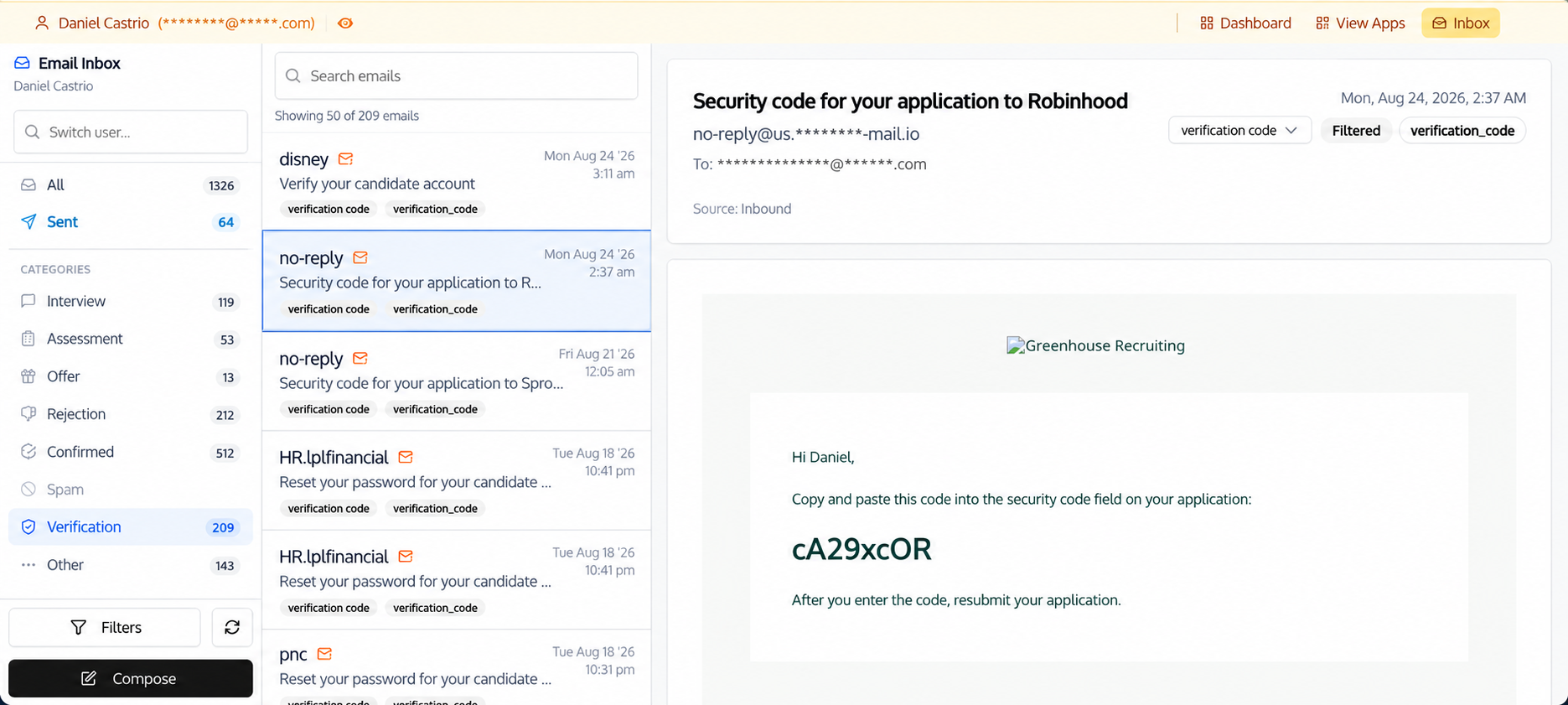
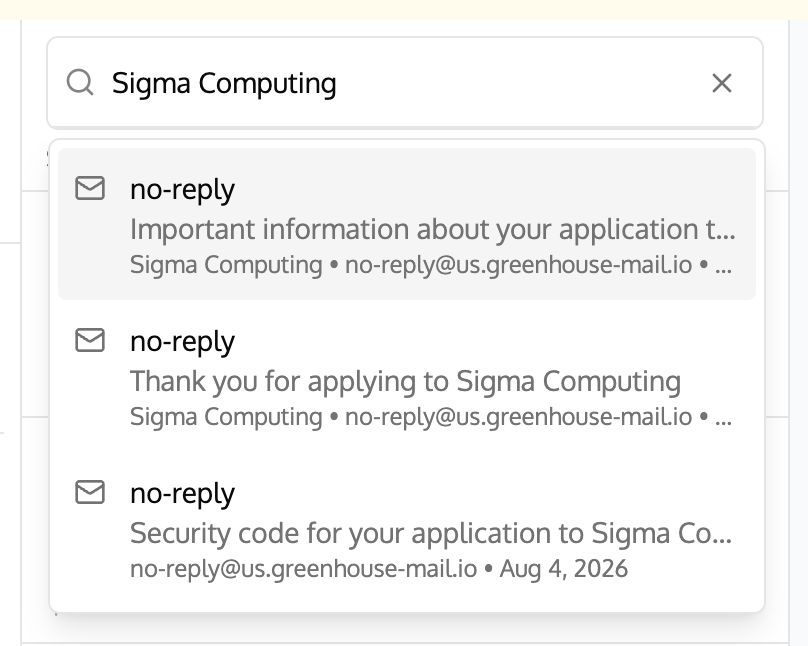
Search your ApplyAll email inbox for a verification code
You can also search your inbox for a specific company or email by using the email search bar.
Change your email forwarding settings to get all verification codes
You can also change your settings in ApplyAll so that verification codes will go straight to your primary inbox (e.g. Gmail, Outlook, etc).
To change what emails get forwarded to you, go your email notification settings. Direct link: https://applyall.com/notification-settings
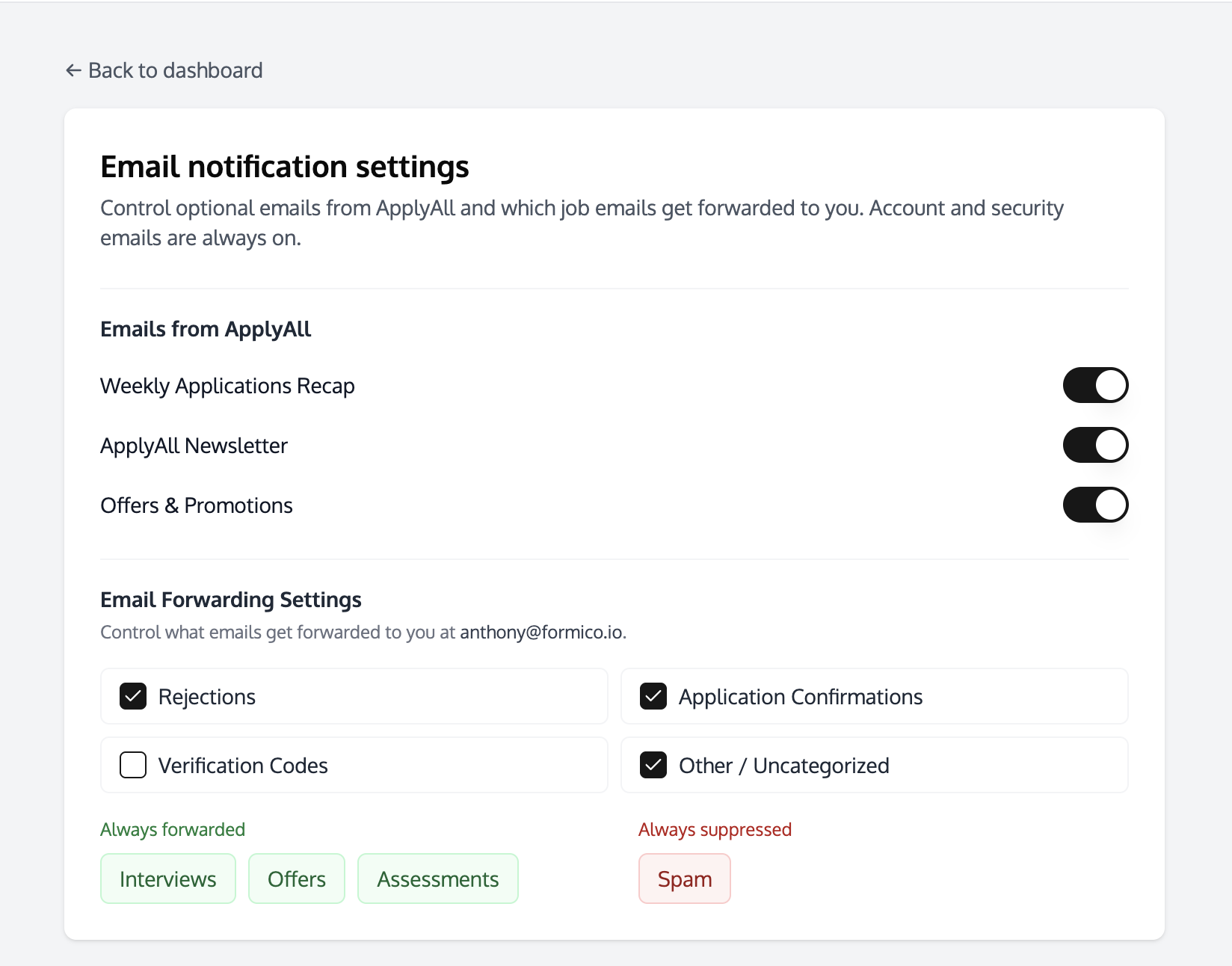
Or you can find the link by scrolling to the bottom of your Dashboard page and clicking "Email Notification Settings". Dashboard > Scroll to Bottom > Email Notification Settings
If you check the checkbox next to "Verification Codes" then all future verification codes will be forwarded to you.

You can also use these settings to turn on rejection filtering or adjust your email notification settings for things like the ApplyAll newsletter and product updates.
No matter what settings you choose, all recruiter emails will always be available in your ApplyAll inbox.
Also please keep in mind that email categorization is a "best guess" so it's possible in rare cases for emails to be miss-categorized. We recommend scanning through all your email at least weekly while you're actively doing a job search so that you don't miss any interviews or other important messages.
Good luck on your job hunt!